 Clessidra
For iPhone and iPad
Make timefor what matters.
Turn your “someday” into something real. See your remaining time, break your goals into steps, and look back on what you achieve.

All features free · iOS / iPadOS 18 or later
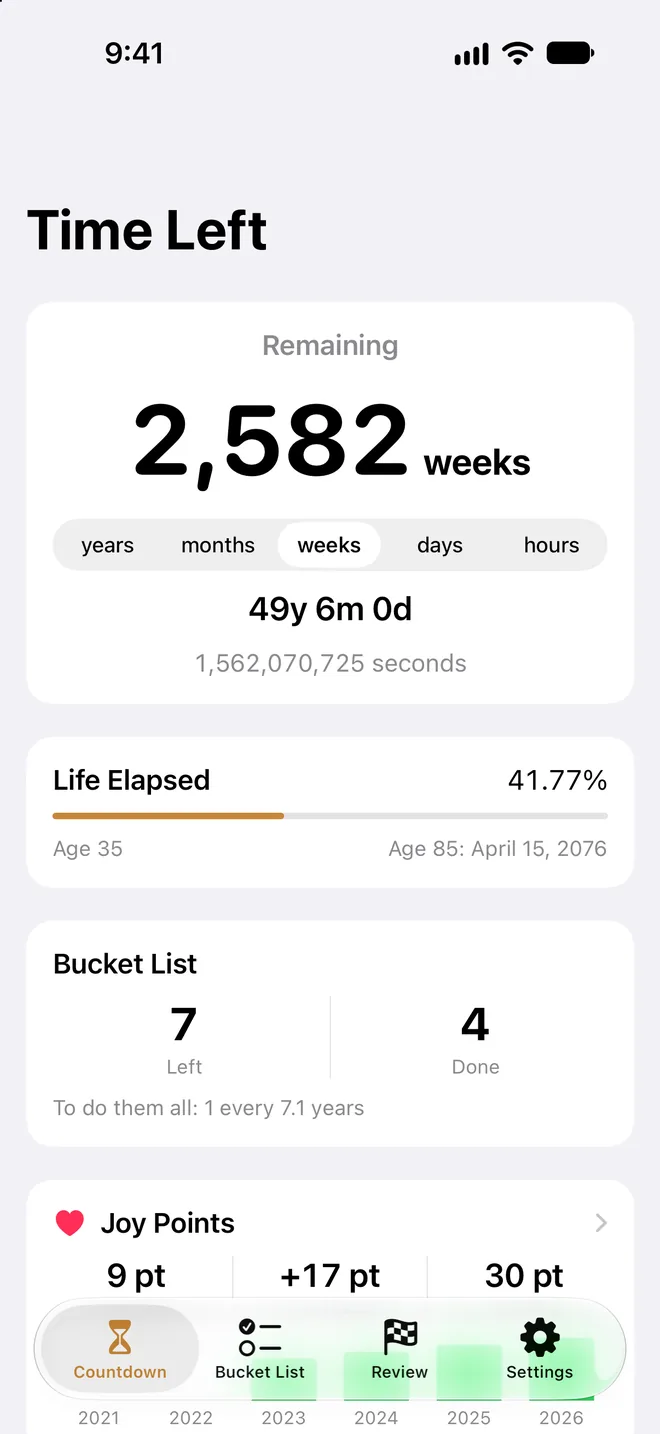

Clessidra means “hourglass” in Italian
Places you want to visit. Things you want to try. Time you want to spend with the people you love.
Enter your birthday and choose a lifespan to see the time you have left — a gentle prompt to think about how you want to spend it.
Widgets
Keep your goals in sight.
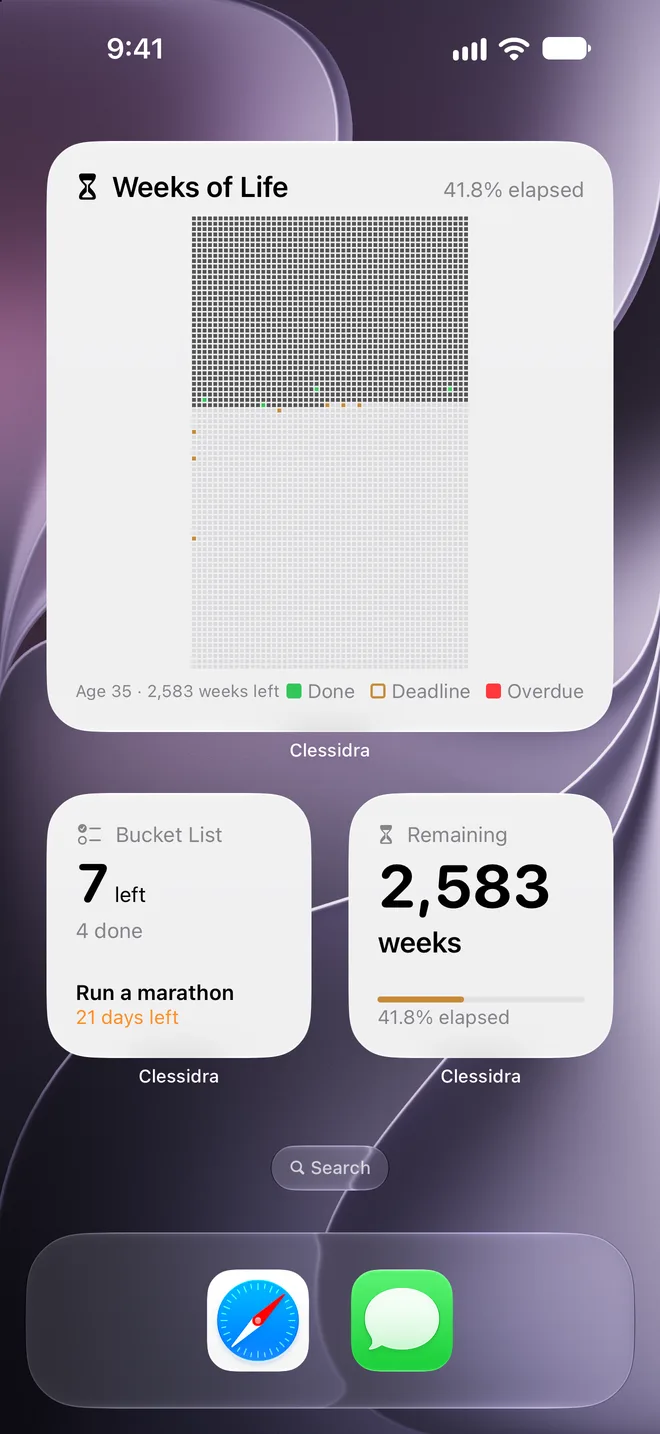
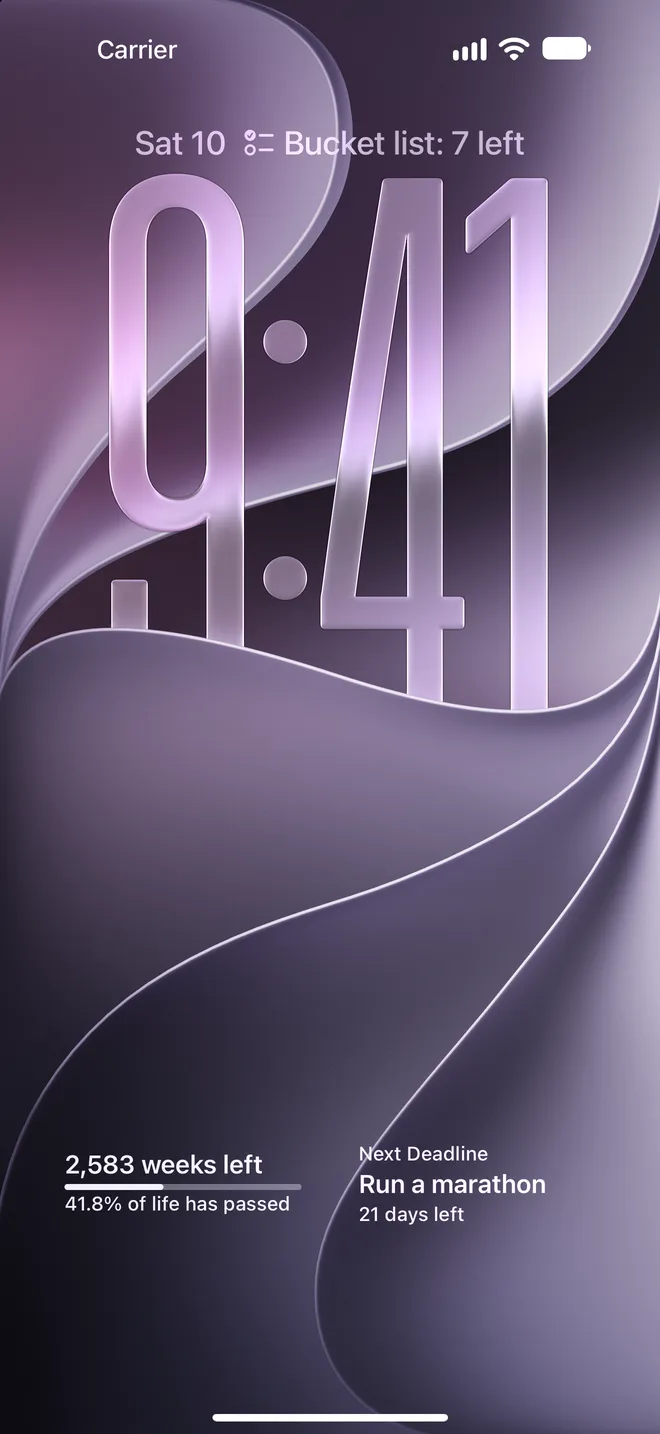
Put your remaining time and upcoming deadlines on your Home Screen and Lock Screen. A quiet reminder every time you pick up your phone.
- RemainingChoose years, months, weeks, days, or hours
- Bucket ListItems left and upcoming deadlines
- Weeks of LifeYour life grid on the Home Screen
Features
See it. Plan it. Do it. Look back.
01
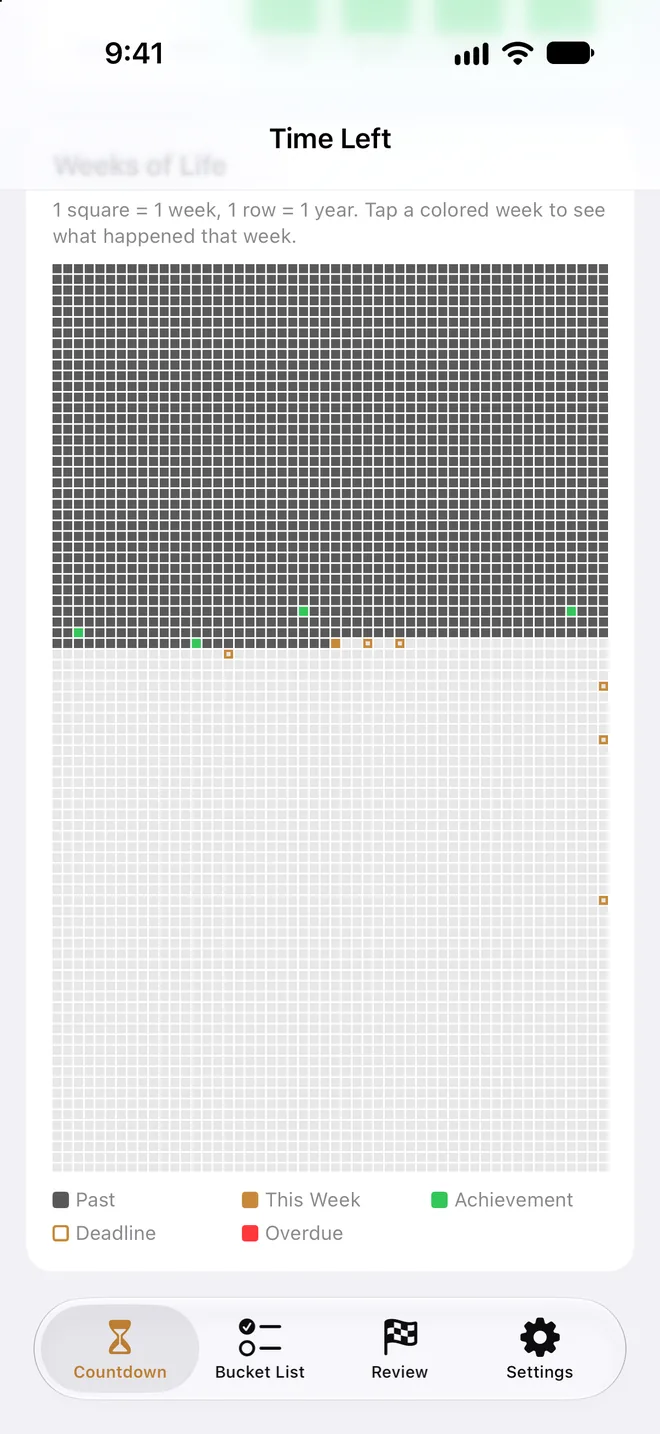
See your life, one week at a time.
The life grid shows each week as a square — the time behind you and the time ahead. Tap a week with an achievement or deadline to see what happened.
02
Turn someday into a next step.
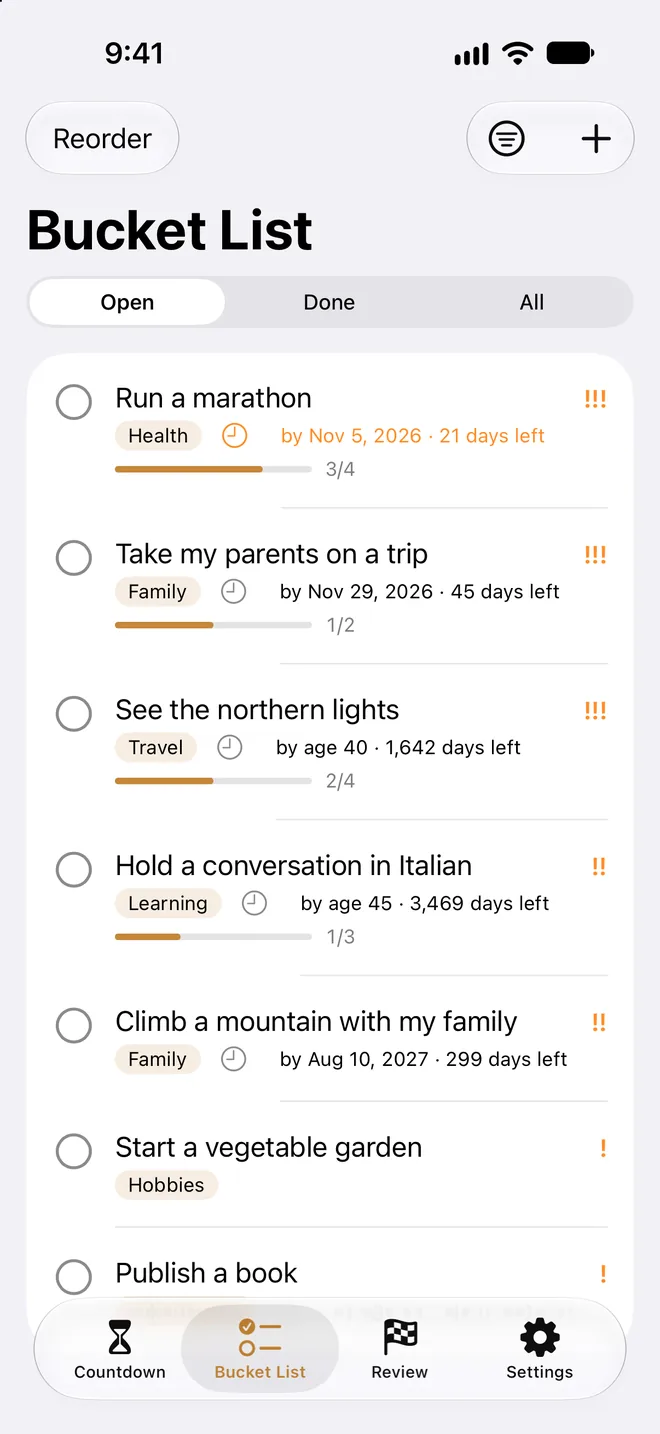
Organize your bucket list with categories and priorities, and set deadlines by date or age. Group your goals by decade to see what you want to do in each stage of life.
03
Big goals start with small steps.
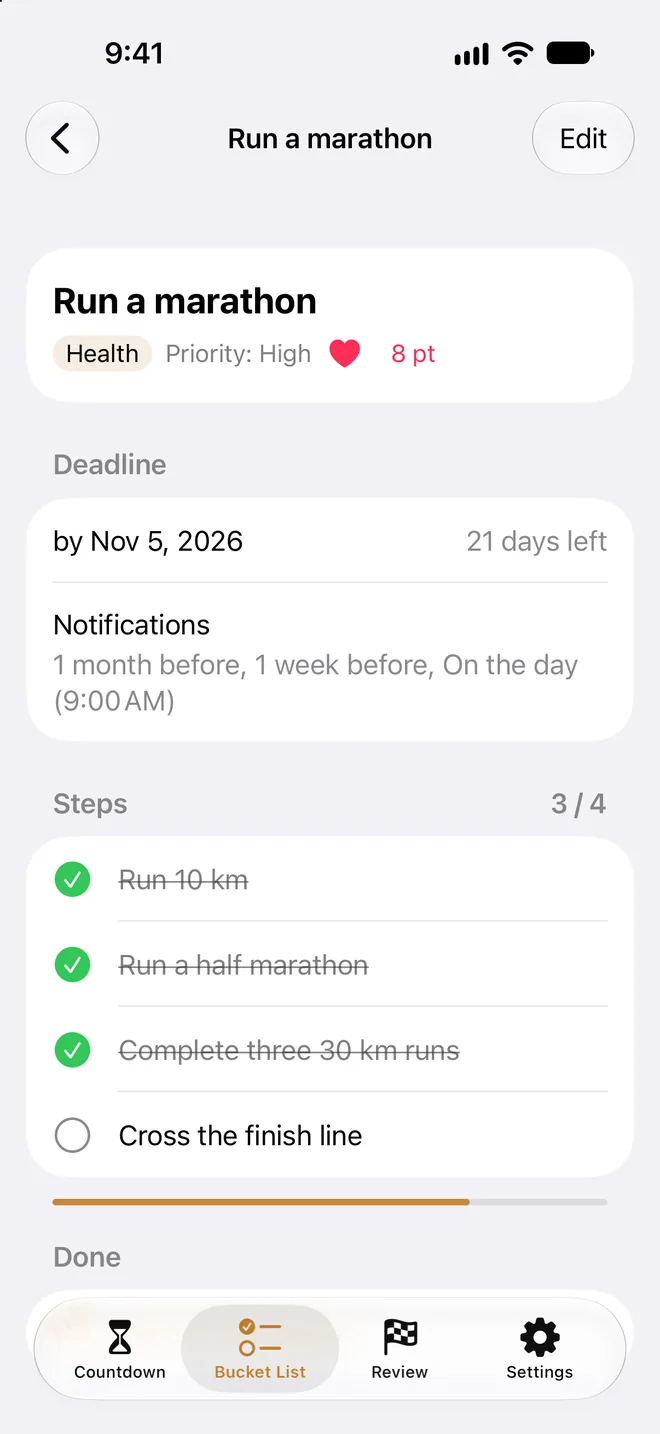
Break goals into steps, give each step its own due date, and track your progress. Get reminders as deadlines approach, with timing you choose for each goal.
04
Keep a record of what you achieve.
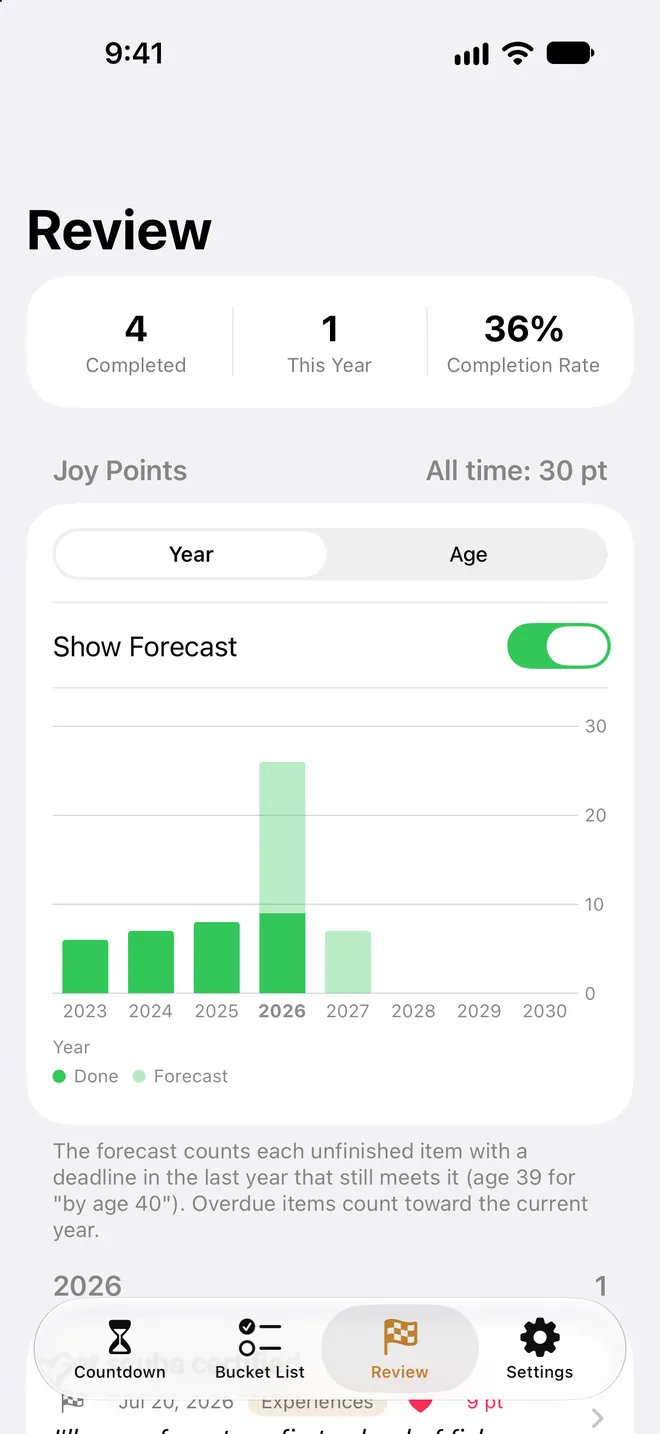
Give each goal Joy Points and see your totals by year or by age in a chart. Save completion dates and reflections to look back on how far you have come.
And more
Deadline reminders
Pick any combination from the day of up to three months before.
iCloud sync
Syncs automatically across your iPhone and iPad.
Your data stays yours
Stored only on your devices and in your own iCloud. Never sent to the developer.
Backups
Export and restore JSON backups, or export CSV for spreadsheets.
Trash
Restore deleted items for up to 30 days.
Made for iPad, too
A side-by-side layout for larger screens.
Pricing
Every feature, free.
No ads. No account.
The only in-app purchases are optional tips to support development. Tipping does not unlock additional features.
How will you spend your time?
Available in English and Japanese.